LINE@
Sign up for Andaz Tokyo Line notifications


Learn about seasonal promotions and events.
Enjoy special benefits by adding Andaz Tokyo on LINE@
How to add friends on LINE
Please see instructions below on how to add Andaz Tokyo on LINE@.
Friends can be added by scanning the QR code or by searching LINE ID.※LINE membership is required. If you do not have a LINE account, please register first.
How to add friends on LINE
Add by QR code
step1
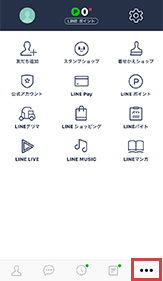
Open the LINE application.
Select “Other” on the menu.step2
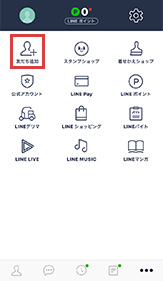
Select the “Add Friend” button.
step3
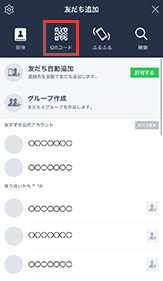
Select the “QR code” button.
step4

Scan the above QR code
and select the “Add” button.
Add by searching ID
step1

Open the LINE application.
Select “Other” on the menu.step2
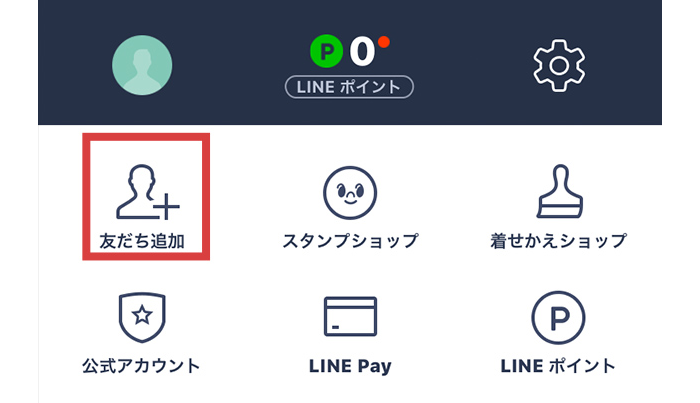
Select the “Add Friend” button.
step3
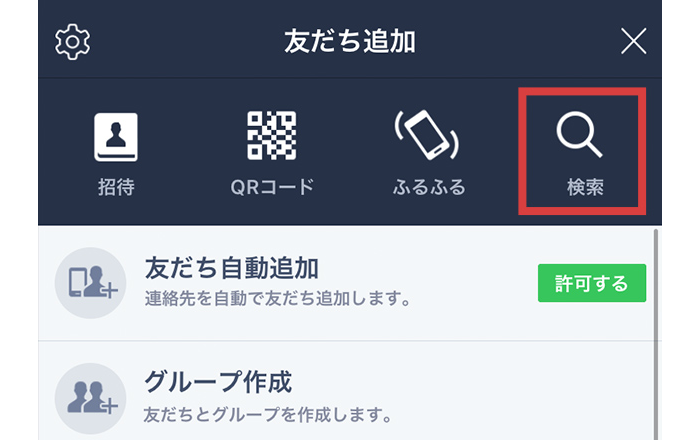
Select the “Search” button
step4
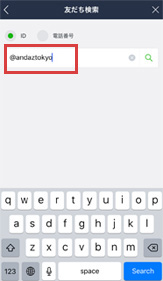
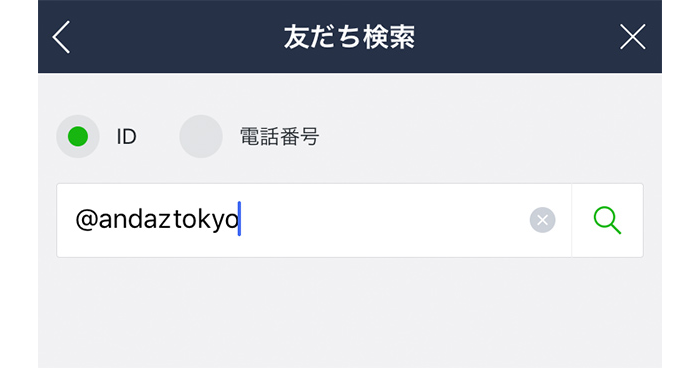
In the search field,
type @andaztokyo and
select the “Add” button.